
Cross-Board Reporting & Dashboards for Trello
Get a complete overview of work across multiple boards in one place.
Start with a 14-day free trial — no credit card required.
All your boards, one dashboard
Cross-Board Reporting & Dashboards collects data from different Trello boards and Workspaces, builds dashboards, tracks key metrics, and analyzes cards, Custom Fields, and checklists without constant switching between boards. Create shared overviews for your team, private dashboards for your own work, or reports for clients and stakeholders.
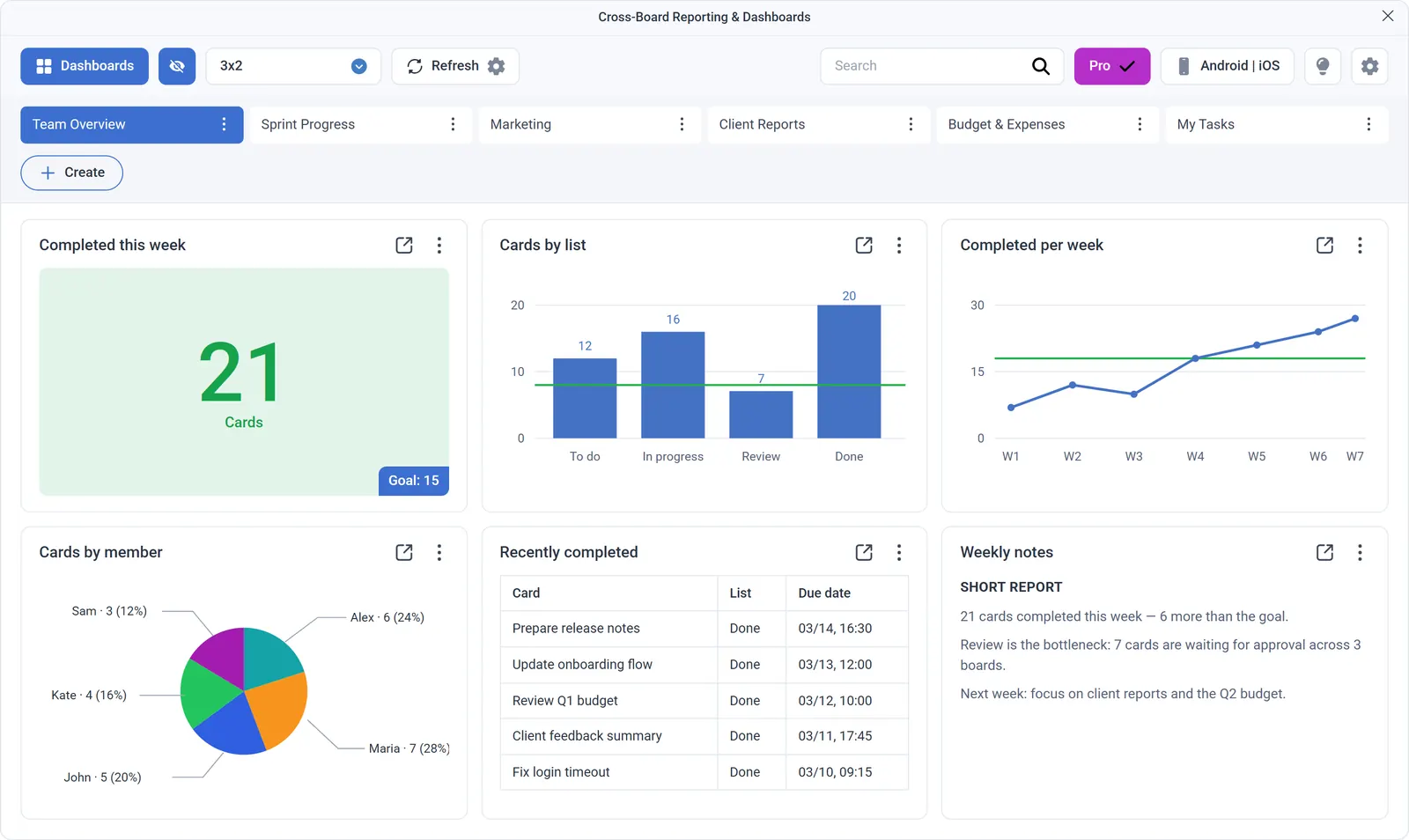
Widgets
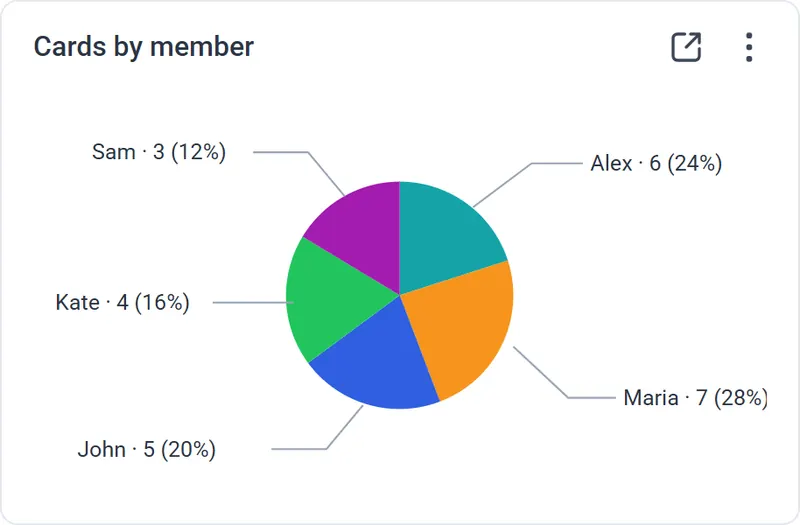
 Pie Chart
Visually shows distribution — for example, which task types take the most time or which statuses dominate.
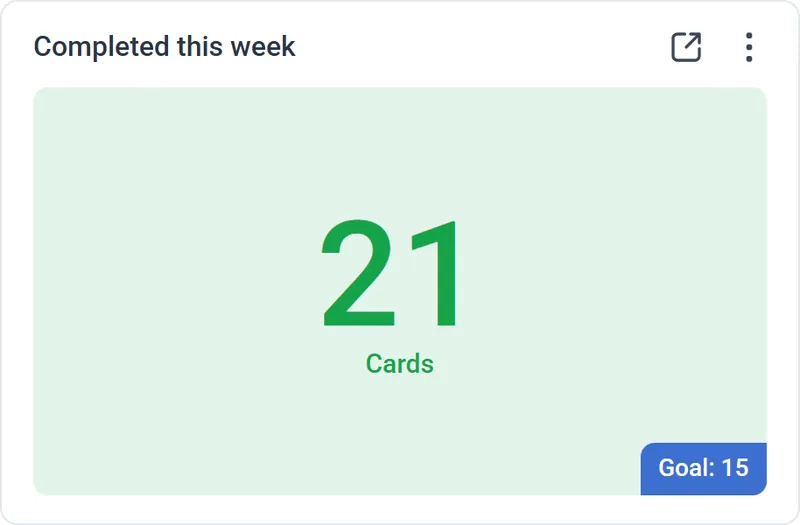
 Counter
Surfaces key metrics. When a Goal is reached, the counter automatically changes color so results stand out.
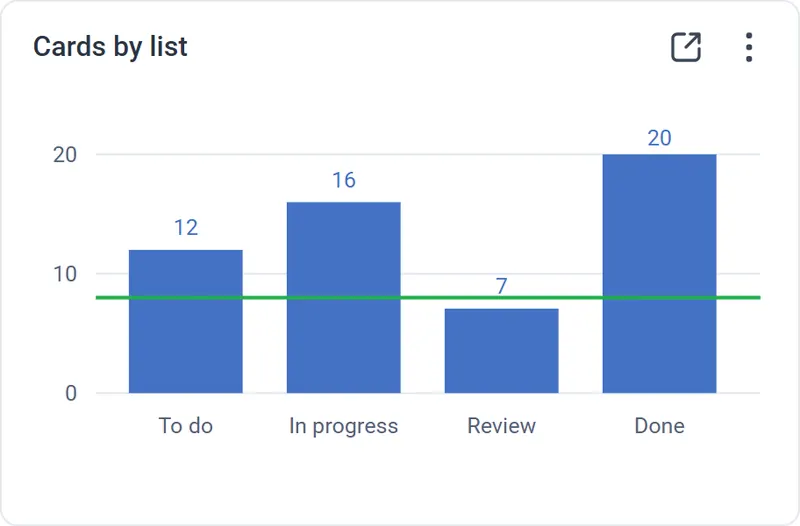
 Bar Chart
Compares metrics across Members, Labels, or Lists — a quick way to see workload balance.
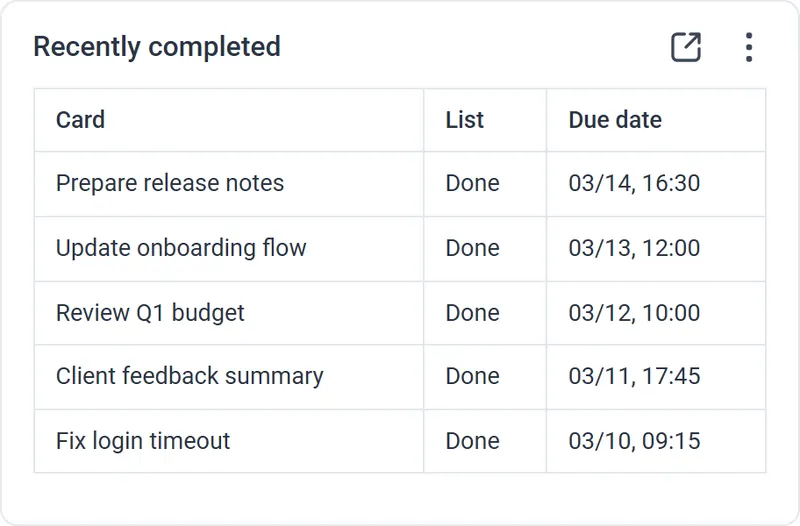
 Data Table
Displays detailed card information with sorting, filters, and Custom Fields.
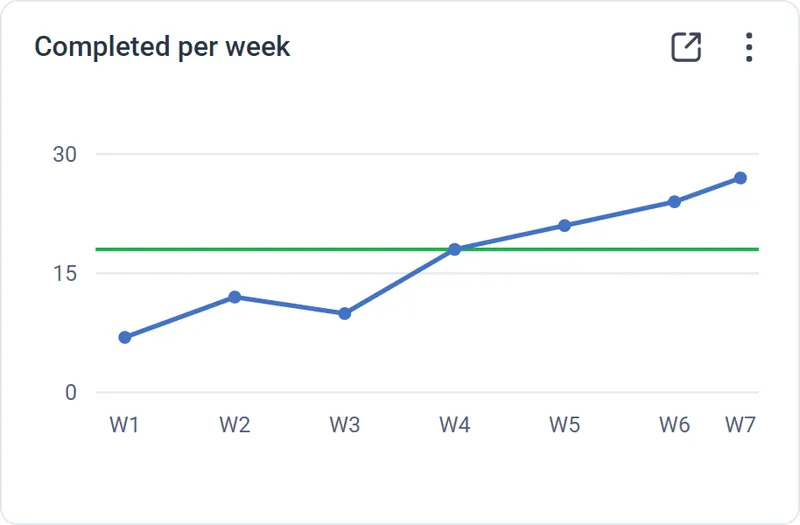
 Line Chart
Shows change over time: card counts, activity, or task completion.
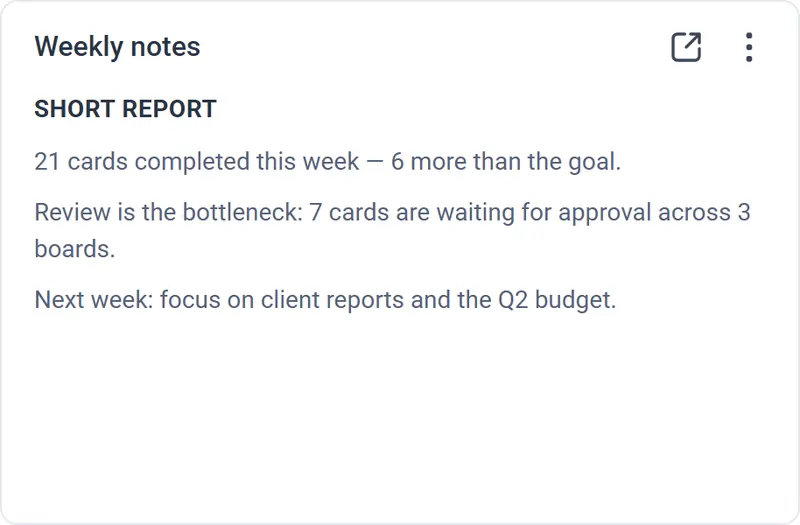
 Text Block
Adds context or notes — brief takeaways, comments, or explanations for the dashboard.
Key features

Unified dashboards
Collect data from multiple Trello boards and Workspaces in one dashboard. Track project status, teamwork, due dates, priorities, and other important metrics without manually consolidating data.

Dashboard sharing
Share live dashboards with your team, clients, or other stakeholders.

Charts, tables, and counters
Build visual reports by lists, labels, members, dates, Custom Fields, and other data from Trello cards. Configure charts, tables, counters, and notes so you see exactly the metrics that matter to your workflow.
Data from Trello cards and checklists
Use the board name, card name, card link, checklist data, item completion status, due dates, and members in dashboards. In tables, you can quickly open the relevant Trello card.

Advanced filtering
Create reports that show only relevant data. Filter cards by lists, labels, members, dates, Custom Fields, checklists, checklist items, and completion status. Use conditions such as “contains” or “is empty” to remove unnecessary noise.
Flexible periods and time zones
Choose preset periods: today, yesterday, tomorrow, this week, the next 7 days, this month, or all time. You can also set a number of days into the past or future from today. Time zone settings are available for individual widgets, so due dates and the “Today” view stay accurate for different teams.
Export to Excel
Export data from charts, tables, and widgets to Excel for additional analysis, reporting, or work outside Trello.

Widgets based on data from other widgets
Use data from existing widgets, such as counter values, to build new charts and tables.
Multi-tab workspaces
Do not limit yourself to one screen. Create separate tabs for a team overview, personal tasks, financial metrics, project statuses, or client reports, and switch between them quickly.

Custom Fields for finance, productivity, and priorities
Cross-Board Reporting & Dashboards supports Trello Custom Fields, so you can summarize budgets, expenses, invoices, story points, time spent, priorities, statuses, and other data from multiple boards.

Mobile app for Android or iOS
View key metrics from your smartphone with the mobile app for Android or iOS.
See the full picture in one place
Start with a 14-day free trial — no credit card required.